
How do I log a note/visit on a student's account?
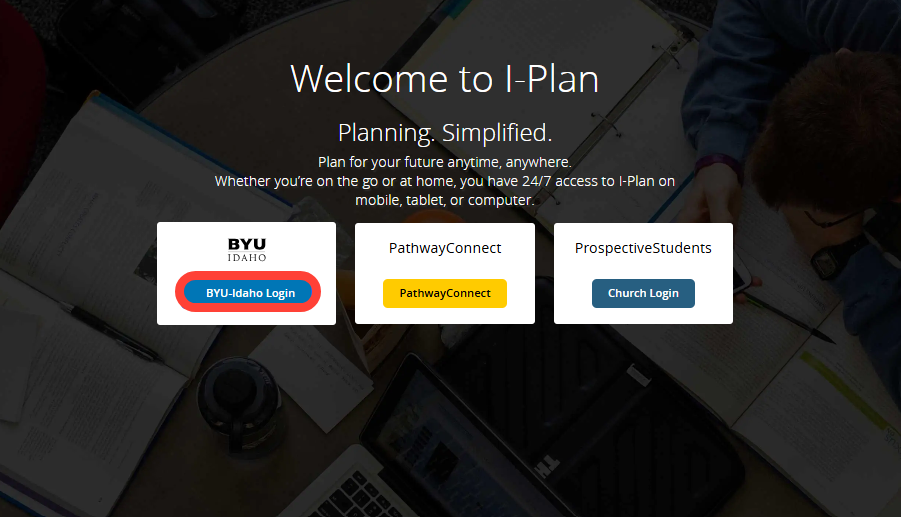
Log in to I-Plan
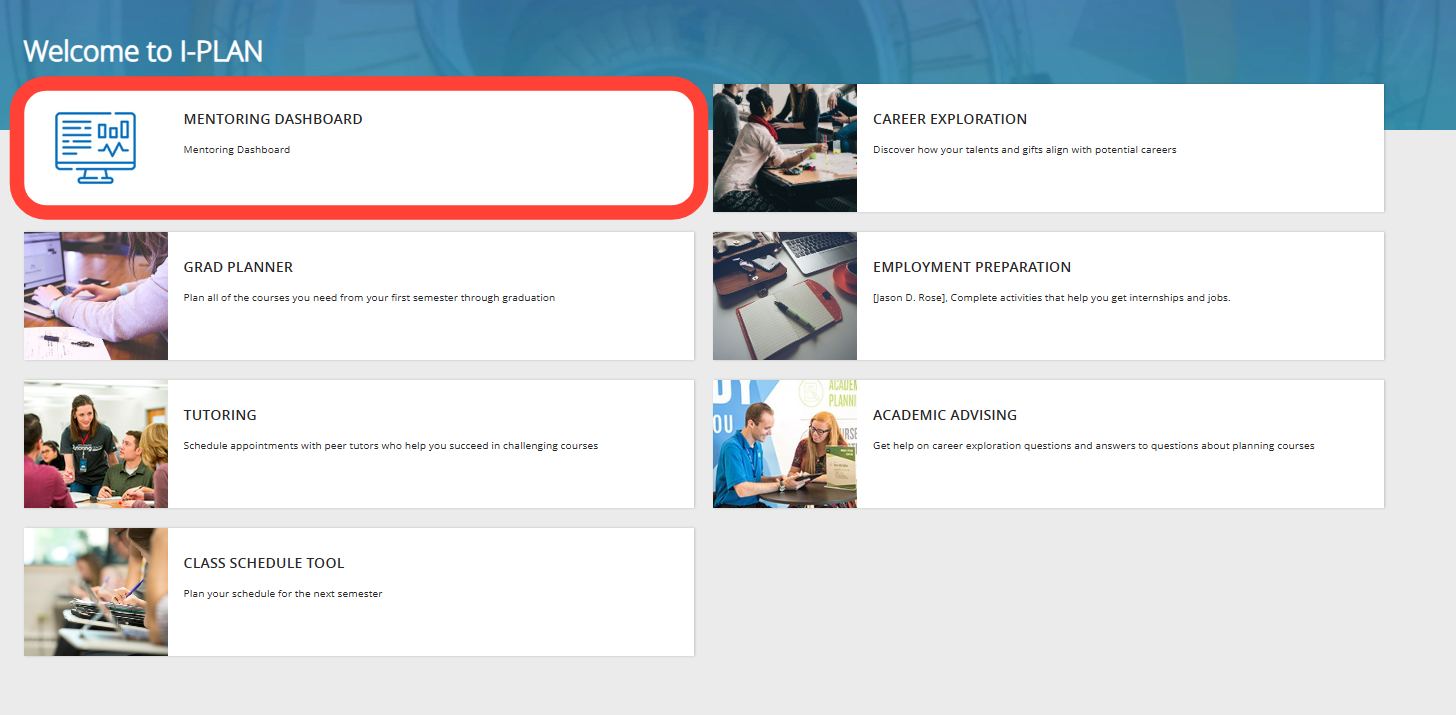
Navigate to the Mentoring Dashboard
- Click on "Mentoring Dashboard".
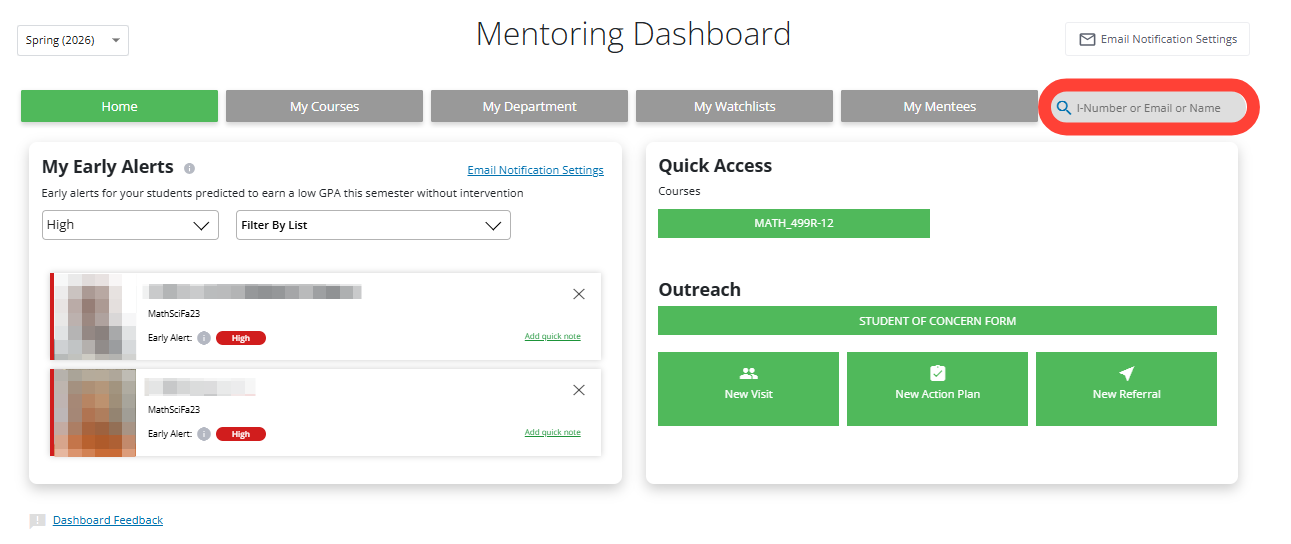
Find the Correct Student
Use the Search bar to find the student you are looking for.
- Search by using I-Number, Email, or Student Name.
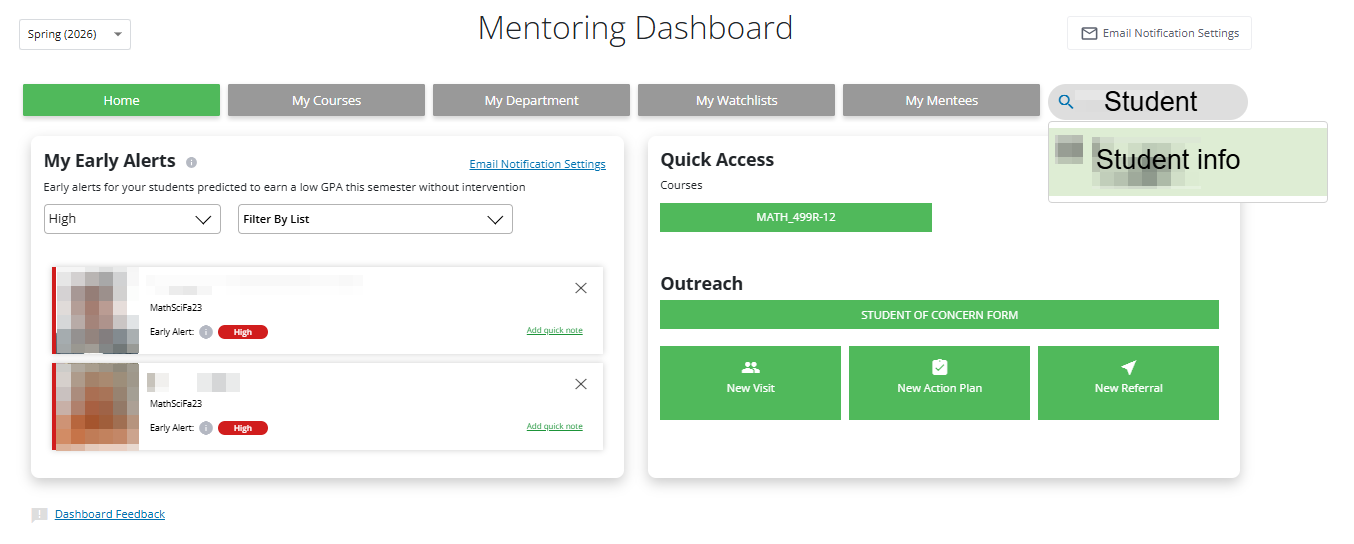
Select the correct student.
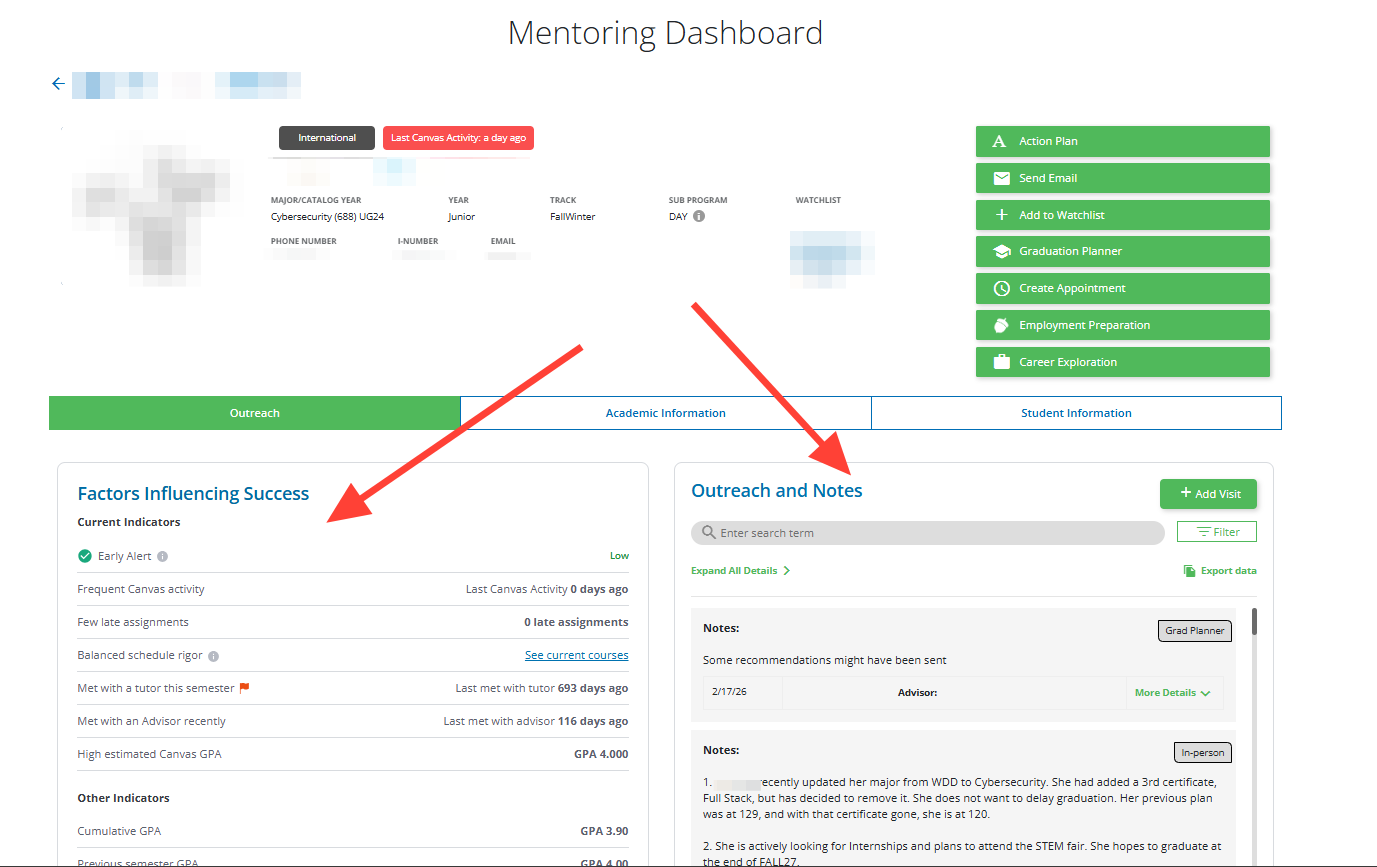
Review the student's information
- You will see student information and past notes/visits on this screen.
- If you would like to learn more about "Factors Influencing Success," you can visit the BYUI Early Alert Website.
Logging notes/visits
There are two ways to log a note/visit with a student.
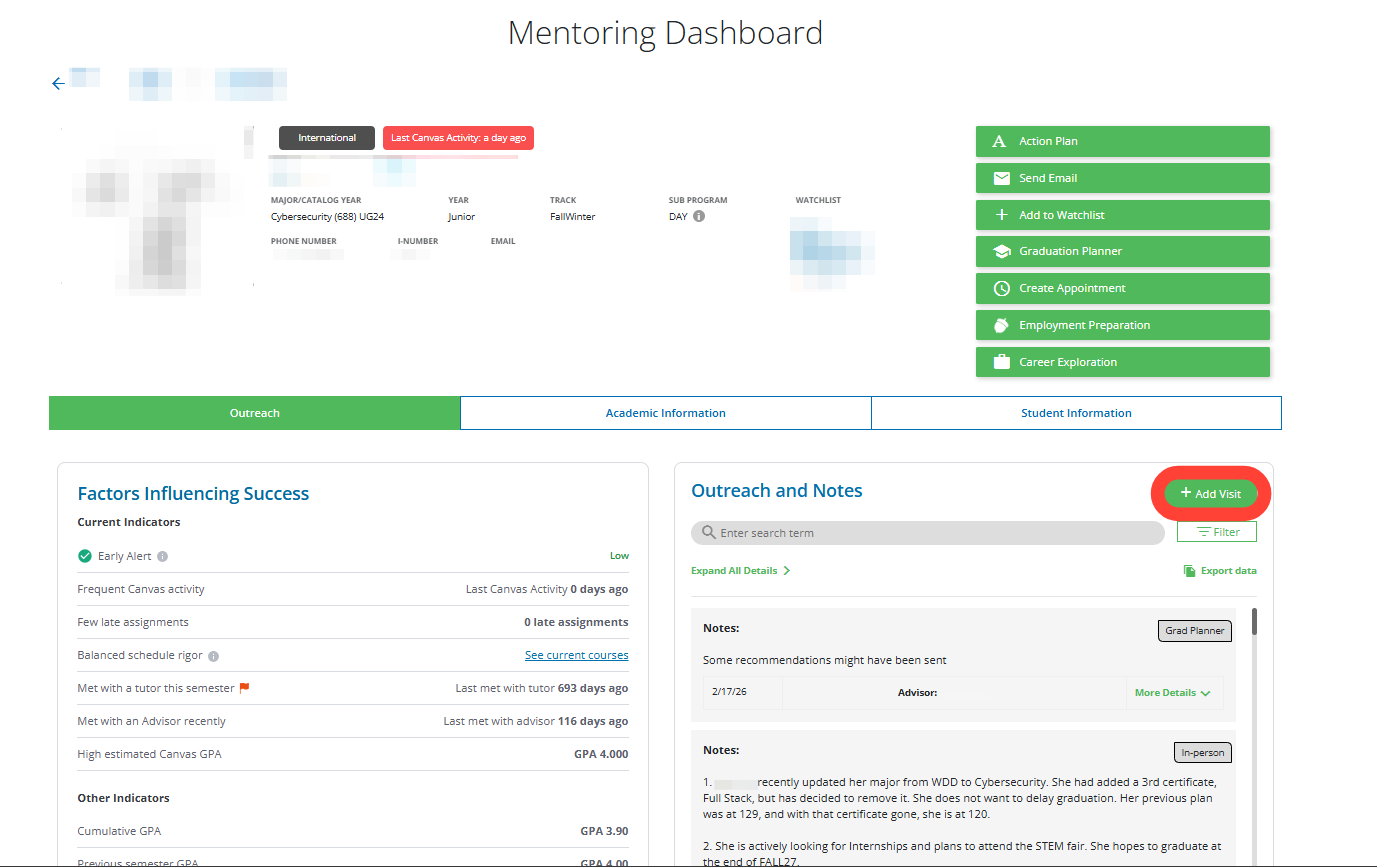
1. On the student profile screen
- Click on the "Add Visit" button.
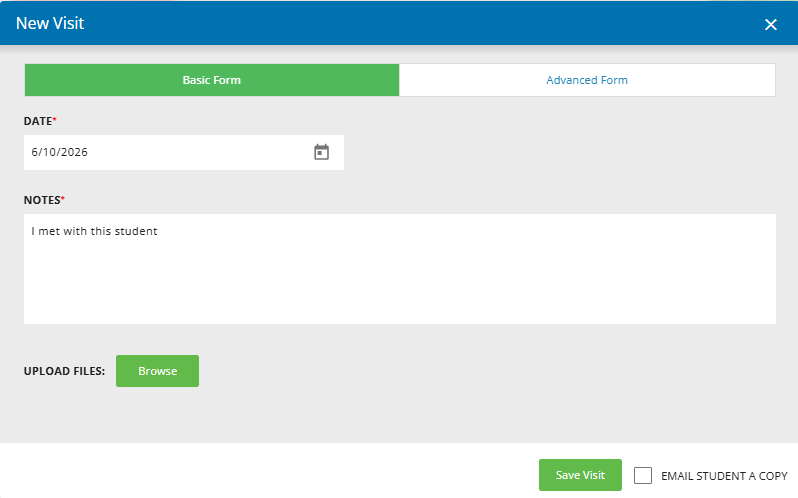
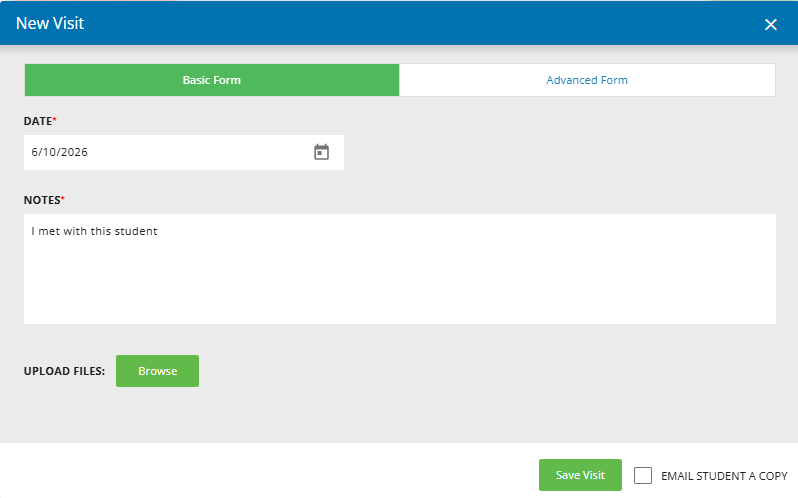
- You can save this note/visit with the default notes, or change them to reflect what you want to record for the student.
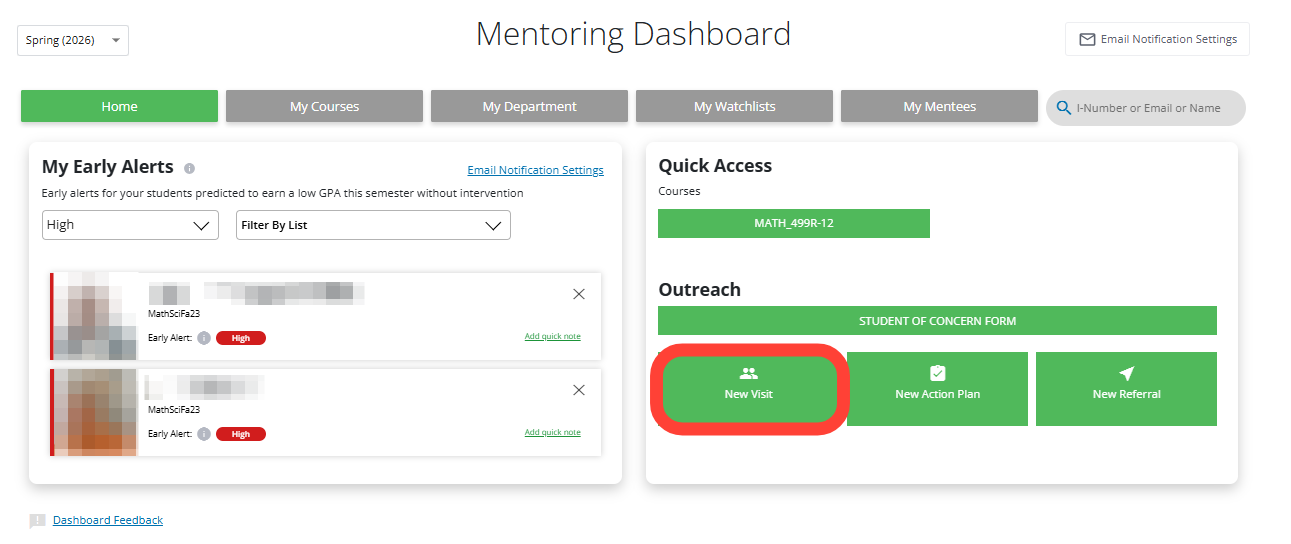
2. Log a note/visit on the main page of the Mentoring Dashboard
- Click on the "New Visit" button.
- You can save this note/visit with the default notes, or change them to reflect what you want to record for the student.
0 Comments
Add your comment